How does RentSpec work?
From opening the app to the final PDF report — discover how the RentSpec system streamlines deposit and damage management in four simple steps.
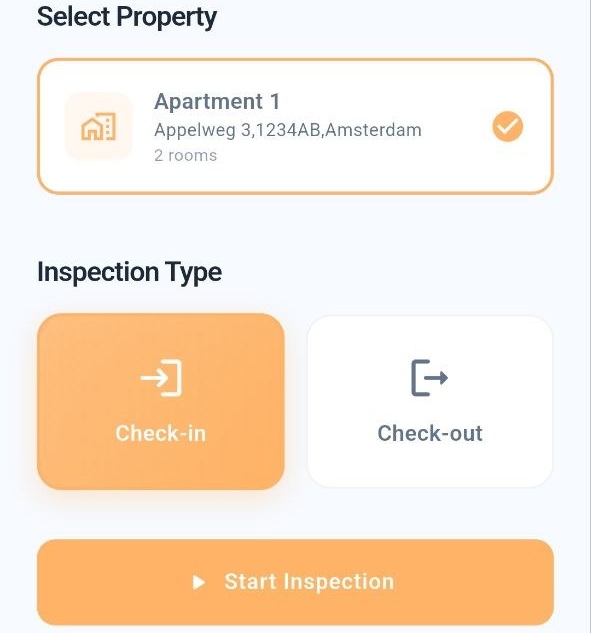
Create an inspection
Open the RentSpec app and create a new inspection. Select whether this is a check-in (start of tenancy) or check-out (end of tenancy). Enter the property address and date.
- Choose check-in or check-out
- Enter the property address
- Select the inspection date
Document every room
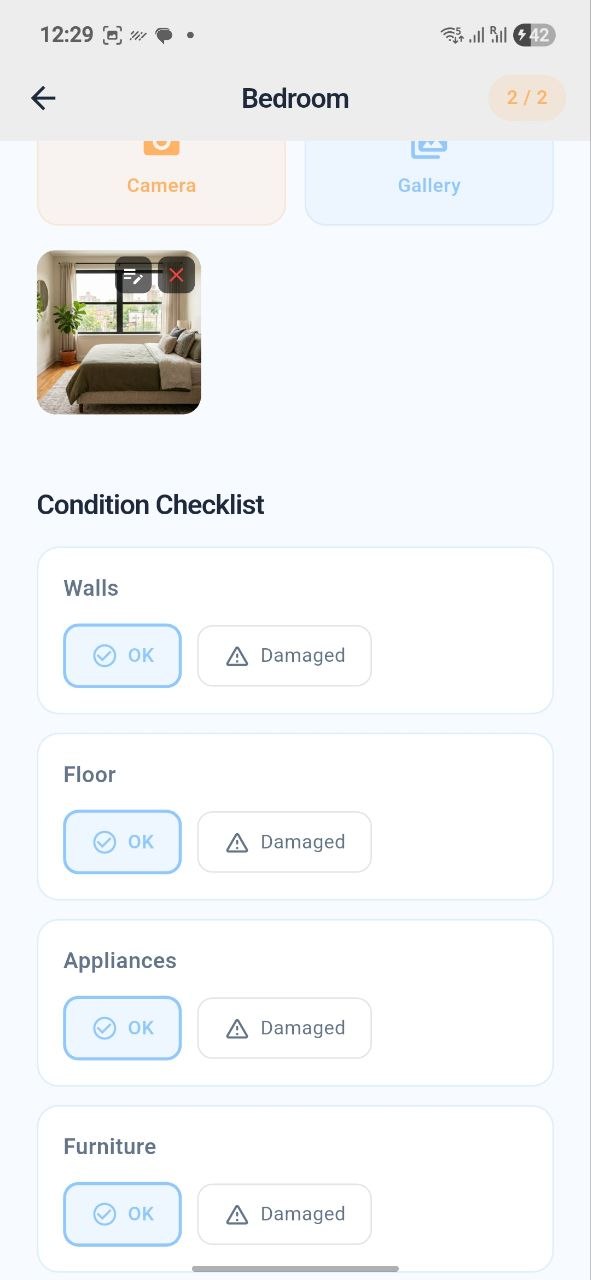
Walk through the property room by room. Rate the condition of walls, floors, furniture, and fixtures for each room. Add photos and notes to document any existing damage or wear.
- Rate condition of walls, floors, and furniture
- Add photos of each room
- Note any damage or wear
Sign digitally on-site
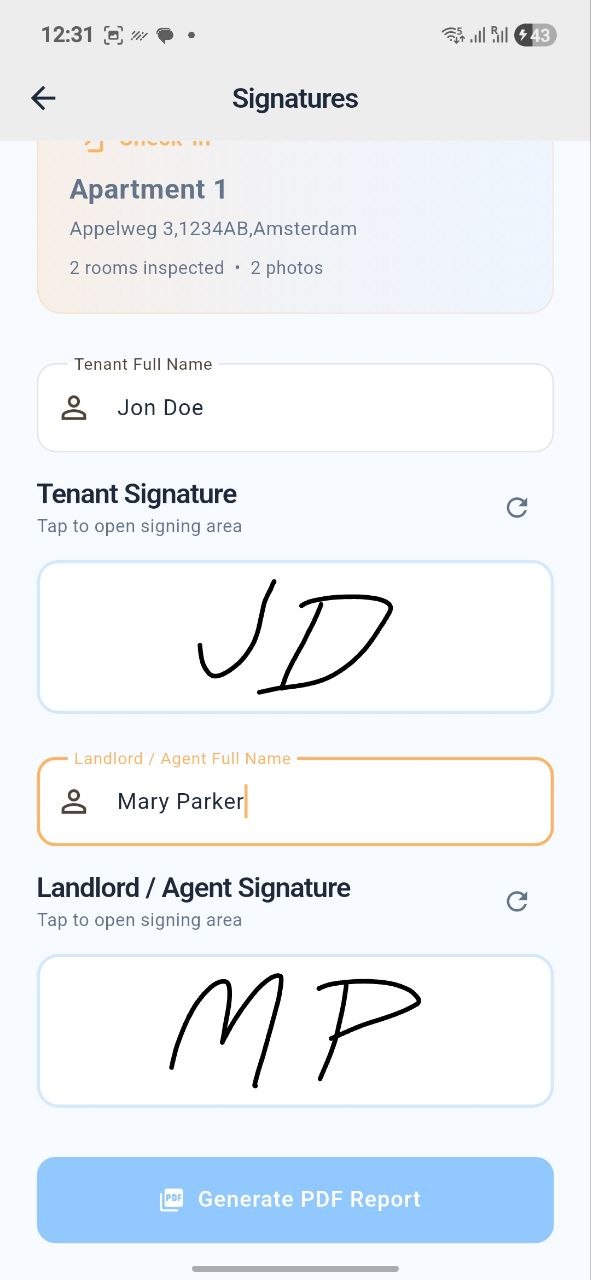
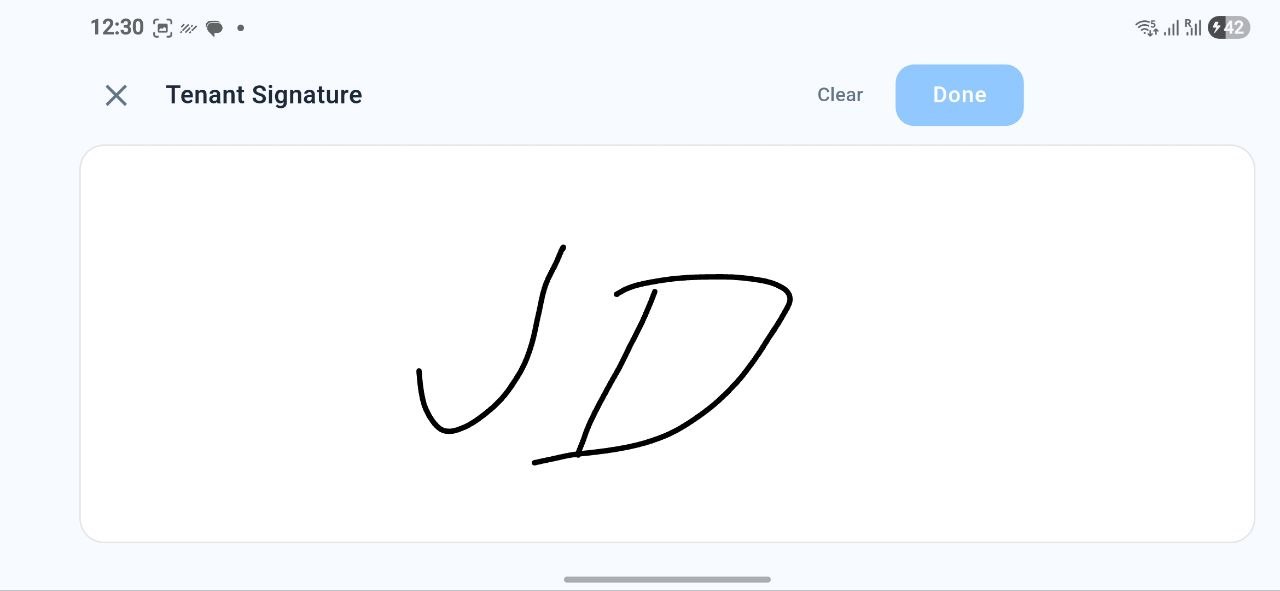
Once the inspection is complete, both landlord and tenant sign directly on the device screen. This creates a legally-binding digital signature confirming both parties agree on the documented conditions.
- Both parties sign on the device
- Legally valid under EU eIDAS regulations
- No 'he said, she said' — everything is documented
Generate & share the report
Instantly generate a professional PDF report containing all photos, notes, condition ratings, and signatures. Share the report via email or WhatsApp with all parties involved.
- PDF is generated instantly
- Contains photos, notes, and signatures
- Share via email or WhatsApp
Why this matters
Rent security deposit disputes are one of the most common conflicts between tenants and landlords. RentSpec solves this.
Timestamped evidence
Every photo and note is timestamped. Objective evidence that cannot be altered after the fact.
Mutual agreement
Both parties sign at the same time, at the same location. No room for "he said, she said" afterward.
Compare in and out
Compare the check-in with the check-out. Any damage during the tenancy is objectively and fairly established.
Legal evidence
The signed PDF report serves as legal evidence in disputes about the security deposit or damage claims.
Frequently asked questions
Everything you want to know about RentSpec, security deposits, and digital rental inspections.
What is a rental inspection and why is it important for the security deposit?
A rental inspection (also known as a property condition report or check-in/check-out) is a formal documentation of the condition of a rental property. Under Dutch law (Article 7:224 of the Civil Code) and most international regulations, having a signed check-in inspection report (opnamestaat) is legally critical: if no report is made, the law presumes the tenant received the property in its current state at the end of the tenancy. Without it, the burden of proof falls entirely on the landlord to justify any claim or dispute against the security deposit.
How does RentSpec prevent security deposit disputes?
RentSpec prevents deposit disputes by creating timestamped photographic evidence of the property condition, requiring both parties to sign on the spot (so there's no 'he said, she said'), and generating a professional PDF report that serves as legal documentation. By comparing the check-in and check-out reports, any damage during the tenancy is objectively documented to avoid security deposit disputes with simple steps and get a professional result fast.
Is the digital signature from RentSpec legally valid?
Yes. Digital signatures collected on-site in RentSpec are legally recognized under EU eIDAS regulations and Dutch law. Both parties sign on the device, confirming they agree with the documented property conditions.
Can I use RentSpec as a tenant?
Absolutely. RentSpec is designed for both landlords and tenants. As a tenant, you can use the app to document the condition of your rental when you move in, protecting yourself against unfair rent security deposit claims when you move out.
What does the RentSpec PDF report include?
The PDF report includes: property details and date, room-by-room condition ratings, photos with notes for each room, furniture and fixture inventory, digital signatures from both parties, and a timestamp. It is a complete, professional document that can be used as evidence.
How much does RentSpec cost?
RentSpec offers three plans: Starter (5 inspection credits for €3.99 one-time), Standard (15 inspection credits for €8.99 one-time), and Unlimited (unlimited credits for €19.99/month). All plans include professional PDF reports, digital signatures, and photo documentation.
Is there a digital system for deposit and damage management?
Yes, RentSpec acts as a comprehensive digital system for rental inspections, security deposit, and damage management. By documenting check-in and check-out conditions with timestamped photos, notes, and signatures, you can objectively manage damage claims and prevent unwarranted security deposit deductions.
Smarter, simpler inspections.
Download the RentSpec app and start inspecting today.

